Is it Binance's limit or your bank's?
The two look alike on screen and need different fixes. The step where the message shows up is usually enough to tell them apart.
If you are still on the Binance buy screen, typing an amount, and you are told you have reached your daily limit before any bank verification page opens, that is the limit on your Binance account. Binance's guide to buying with a card on the website has an FAQ for exactly this case ("When placing an order, I'm notified that I've already reached my daily limit"). The answer is to click [Increase limit] and complete the extra verification it asks for.
If the order went through to payment, perhaps past your bank's one-time password, and only failed at the end, look at the card side. The same page quotes the error "Transaction declined by issuing bank. Please contact your bank or try a different bank card." Your card's own daily spending cap, a block on foreign or crypto transactions, or a separate cash advance limit on a credit card (see the cash advance guide) can only be changed by the bank. The exact reason for a failed order sits under History → Fiat Order; the failed card purchase guide shows where.
Not sure which one you hit? Open the failed order and read the reason before uploading more documents. If the reason mentions the bank, start with the bank.
Official source · Binance · How to Buy Crypto with Credit/Debit Card on Binance Website? (page marked updated 8 December 2025, checked October 2026)
How to raise your Binance card buy limit
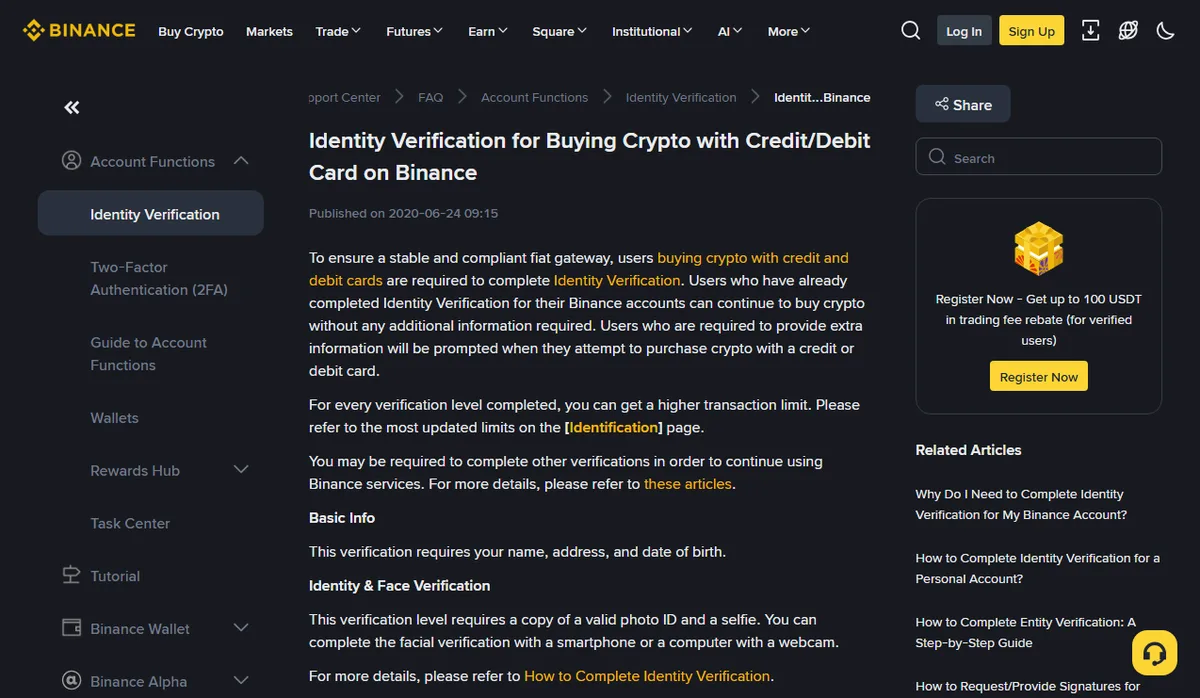
On the Binance side, the limit follows your verification level. The help article on identity verification for card purchases puts it in one line: each verification level you complete gives you a higher transaction limit, and the current figures are on the [Identification] page of your account.
October 2026
Read further down and the route has three steps:
- Identity verification. The page lists Basic Info (name, address, date of birth) and Identity & Face Verification (a valid photo ID and a selfie). If your account is already verified, you can keep buying without sending anything new.
- Proof of Address. In the article's words: "To increase your limit, you'll need to complete both the Identity Verification and Proof of Address."
- Support, if that is still not enough. "If you want to increase your daily limit further, please contact Binance Support."
The article gives no amounts. If you find a table of dollar limits per level elsewhere, check where it came from and how old it is before planning around it; the numbers on your own Identification page are the ones that count. Nor does the article say whether the limit applies per account or per card. You can link up to five cards (FAQ item 3 in the card guide), but that is no reason to assume a second card gets around an account-level cap.
Official source · Binance · Identity Verification for Buying Crypto with Credit/Debit Card on Binance (published 24 June 2020, checked October 2026)
Splitting the buy across days: every order gets a fresh quote
Verification reviews take time. Suppose you would rather buy part today and the rest tomorrow. That works, but the cost needs a different calculation.
Each part is its own order. Step 4 of the card guide warns that the price and the amount of crypto may be recalculated automatically before you confirm, and the first item in its Transactions FAQ says an order not completed within the time limit becomes invalid. Tomorrow's order is priced from tomorrow's quote, with its own fees, not from the one you saw today.
The numbers below are made up to show the method. Say you planned to pay 1,000 USD in one go and the quote offered 996.0 USDT:
With the limit in the way, you pay 600 USD today for 597.6 USDT and 400 USD tomorrow for 397.2 USDT:
Total received: 597.6 + 397.2 = 994.8 USDT
Combined cost: 1,000 ÷ 994.8 ≈ 1.00523 USD / USDT
Compare the combined figure, not whichever half looks cheaper. Here the split costs 1.2 USDT. With a more volatile coin, the overnight price move can widen or cancel that gap, and there is no way to know it in advance.
If the platform or the bank charges a fixed amount per transaction, splitting means paying it more than once; Buying crypto once or twice works through that case. You can also enter the one-order and split quotes into the quote comparison tool side by side.
Keeping the records straight after a split
After a split you have two or three card charges and two or three orders, and weeks later it is easy to lose track of which charge belongs to which order.
The last FAQ in the card guide says where your purchases are listed: Buy & Sell → Orders on the main page, or Fiat Order → Buy. For each one, note the order ID, the time with its time zone, the amount paid and the amount received, and pair it with its line on the card statement. If one of them came in short, go through Received less crypto?; if you need support, Prepare crypto purchase records for support shows how to lay the records out.