Which price is the market page actually showing?
Question 8 of the English Convert FAQ asks exactly this: "Are there any trading fees, and why is the quoted price different from the market price?" Its answer: Convert prices don't include traditional trading fees, Instant Mode quotes move with market conditions, and they can differ from the price on other markets, Binance Spot included. The Chinese edition (question 9 there) is blunter: the exchange's last traded price excludes fees, ignores your trade size, and is not a real-time price.
Each of those three gaps costs something when you buy:
- Fees aren't in it. Spot orders pay a trading fee, and card purchases through Buy Crypto carry a payment fee. The ticker shows neither.
- Your size isn't in it. The last price belongs to whoever traded just before you. A market buy eats the sell orders on the book, and a bigger order reaches further up into pricier levels.
- It's already a few seconds old. The price can move between the moment you read it and the moment you tap Buy.
Binance's help article on market and limit orders gives a Spot example: with the current price at 2,400, a market order fills at the best available prices on the book, and for buy orders the average filled price may be slightly above the current price.
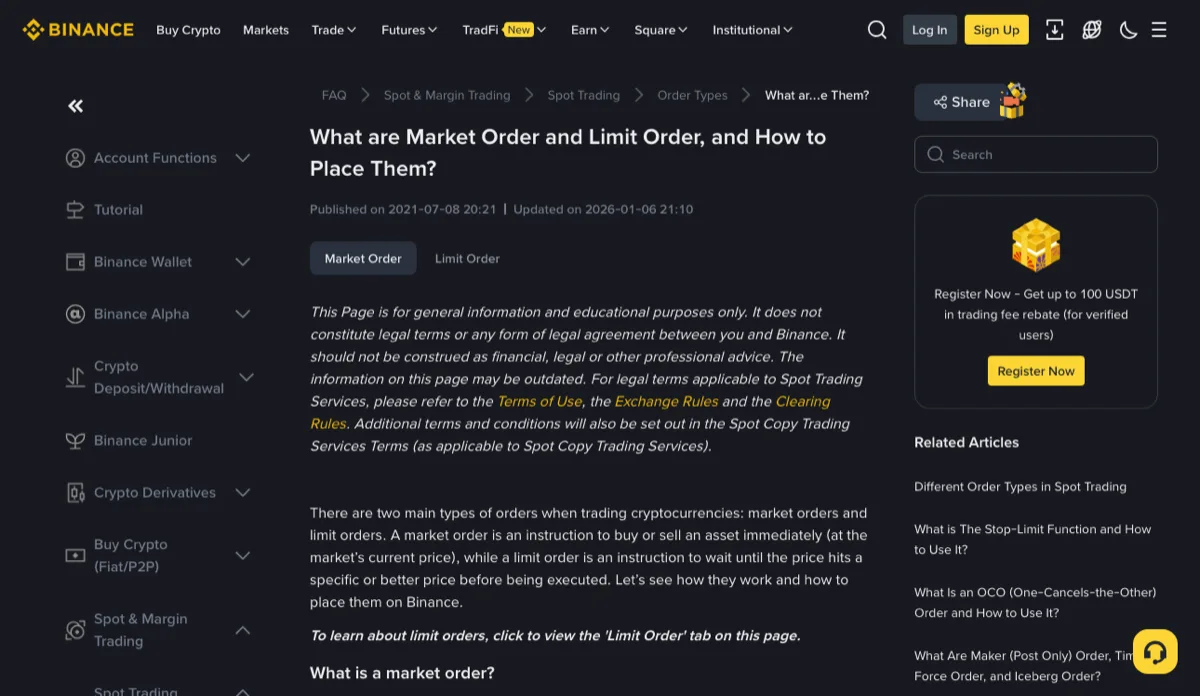
Screenshot taken November 2026
Official sources, checked November 2026 · Binance · Frequently Asked Questions on Binance Convert (question 8, updated 2026-04-21) · Binance · Convert FAQ, Chinese edition (question 9)
One number first: what each coin really cost you
Skip the "Price" column in your order history. It means different things on different screens. Copy down just two figures: the total you paid, and the number of coins that landed in your account.
Real price per coin = total paid ÷ coins received
Gap over the market price = (real price per coin − market price) ÷ market price
Keep both in the same currency. If you paid in USDT, compare against BTC/USDT. If you paid in euros or another fiat currency, use the amount your bank actually charged; when that differs from the order total, Card charged more than the crypto order? walks through why. And "coins received" means what reached the account after fees, not the quantity you typed in.
The worked figures below are all made up: BTC/USDT last traded at 100,000 USDT, and every route spends 1,000.
Where each entry point hides the gap
Spot market order: every piece can be measured. Say the lowest sell order (the best ask) is 100,020 when you click, and your 1,000 USDT fills at an average of 100,035. Binance's Spot fee page listed 0.100% for regular users in November 2026. With the fee taken in BTC (BNB fee payment changes that; see Which currency paid your trading fee?), about 0.0099865 BTC arrives. That works out to roughly 100,135 per coin, 0.135% over the last price: 0.020% from the ask sitting above the last trade, 0.015% from reaching deeper into the book, and 0.100% in fees. How the bid-ask gap hurts you again when you sell straight back is covered in the round-trip cost guide.
Convert: the whole gap is inside the quote. The FAQ is explicit that when you preview a conversion, the quoted amount is what you receive and no additional fees apply. Suppose the preview says 1,000 USDT gets 0.00997 BTC. That is about 100,301 per coin, 0.30% over the last price, and you cannot split that 0.30% any further from the screen. Convert or a Spot market order compares the two routes head to head.
Buy Crypto by card: the fee you can see. On Binance's Buy/Sell fee page (the confirm screen shows the rate that actually applies), Buy Crypto by Visa/Mastercard, Apple Pay or Google Pay is 2%; Revolut is 1.1% and PayPal 1.5%. Suppose the confirm screen shows Spend 1,000 USD and Receive 0.00978 BTC. That is about 102,249 per coin, 2.25% over a USDT-quoted last price. The listed 2% accounts for most of it. The rest isn't itemised anywhere, and dollars and USDT aren't the same unit anyway, so treat it as part of the quote. Whether a card purchase beats buying USDT first is worked out in buy USDT first or buy BTC directly.
Scroll the table sideways; arrow keys work too.
| Entry point | Coins received | Real price per coin | Over last price | Can you split it? |
|---|---|---|---|---|
| Spot market order | about 0.0099865 BTC | about 100,135 USDT | 0.135% | Yes: ask, book depth, 0.1% fee |
| Convert | 0.00997 BTC | about 100,301 USDT | 0.30% | No, it's all in the quote |
| Buy Crypto (card) | 0.00978 BTC | about 102,249 USD | 2.25% | Only the 2% from the fee page |
On a thin order book the Spot depth cost grows, and the ranking of the three routes can flip.
Fee source · Binance · Buy/Sell fees (page as of November 2026)
Gap bigger than fees plus spread? Check these four things
If the breakdown above still leaves a gap far larger than spread and fees, the likeliest cause is that you are comparing two different things:
- A different pair. BTC/USDT, BTC/USDC and BTC/FDUSD each have their own last price. Check which pair the chart is on and which one you bought.
- A converted fiat figure. Values shown in dollars, euros or lari are estimates, and the rate behind them need not match the rate you paid. USDT bought on P2P can itself cost more than the reference rate; the P2P premium guide works it out from the order.
- A refreshed quote. The FAQ says the system locks a Convert quote for a short period while you review it. If it refreshes before you confirm, the amount changes. Why did the quoted received amount change? covers keeping the estimate and the final figure apart.
- A partly filled or split order. Use the weighted average across all fills, not one of them; the method is in Partial fills: average price and net amount.
Ruled all four out and still can't explain it? Screenshot the order details (time, pair, amount paid, amount received, fee line) before contacting support. That gets further than "the price was wrong".